YallaChat: Voice&Video Calls1.7.1
Publisher Description






YallaChat is an instant messaging app. Simple and fast, it can be downloaded and used for free. YallaChat allows you to safely communicate with your friends or family by sharing important moments, sending and receiving messages, photos, and superior voice & video messages and calls.
【Secure Messaging】
Communicate with your friends and family at any time by sending various types of messages such as stickers, photos, text, and voice and video messages. All messages are well-protected with end-to-end encryption on YallaChat.
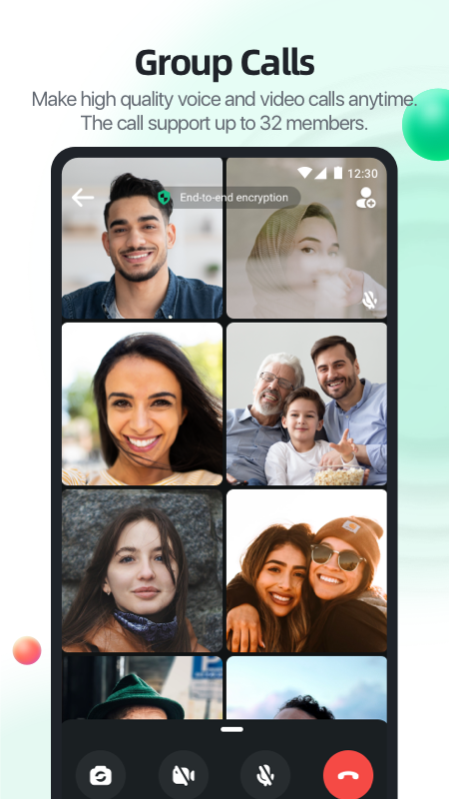
【Voice & Video Calls】
High-quality audio and instant video calls with friends and family, no matter where you are; 1v1 or group calls are all available.
【Interactive Games】
Play Ludo or plant your date-palm tree to get mobile credits, you can also make new friends and interact with old friends easily.
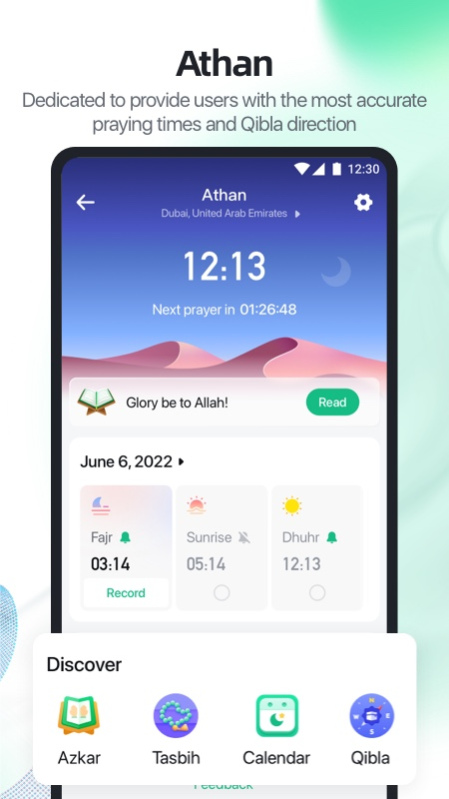
【Athan Reminders】
The Athan times are generated according to arithmetic methods adopted in most of the Islamic world. By automatically determining your location, this application can remind you of accurate prayer times as well as determine the direction of the Qibla.
【Share Moments】
Interact with your friends by sharing your important moments. Post photos, videos, and more to your Moments.
*Data charges may apply. Contact your provider for details.
---------------------------------------------------------
If you have any feedback, questions, or concerns, please email us at:
yallachatsupport@yalla.com
Learn more about YallaChat at:
https://www.yallachat.com
---------------------------------------------------------
About YallaChat: Voice&Video Calls
The company that develops YallaChat: Voice&Video Calls is Yalla Technology FZ-LLC. The latest version released by its developer is 1.7.1.
To install YallaChat: Voice&Video Calls on your Huawei device, just click the green Continue To App button above to start the installation process. The app is listed on our website since 2023-06-13 and was downloaded 1 times. We have already checked if the download link is safe, however for your own protection we recommend that you scan the downloaded app with your antivirus. Your antivirus may detect the YallaChat: Voice&Video Calls as malware as malware if the download link to C106474723 is broken.
How to install YallaChat: Voice&Video Calls on your Huawei device:
- Click on the Continue To App button on our website. This will redirect you to Huawei Store.
- Once the YallaChat: Voice&Video Calls is shown in the Huawei Store listing of your Huawei device, you can start its download and installation. Tap on the Install button located below the search bar and to the right of the app icon.
- A pop-up window with the permissions required by YallaChat: Voice&Video Calls will be shown. Click on Accept to continue the process.
- YallaChat: Voice&Video Calls will be downloaded onto your device, displaying a progress. Once the download completes, the installation will start and you'll get a notification after the installation is finished.
